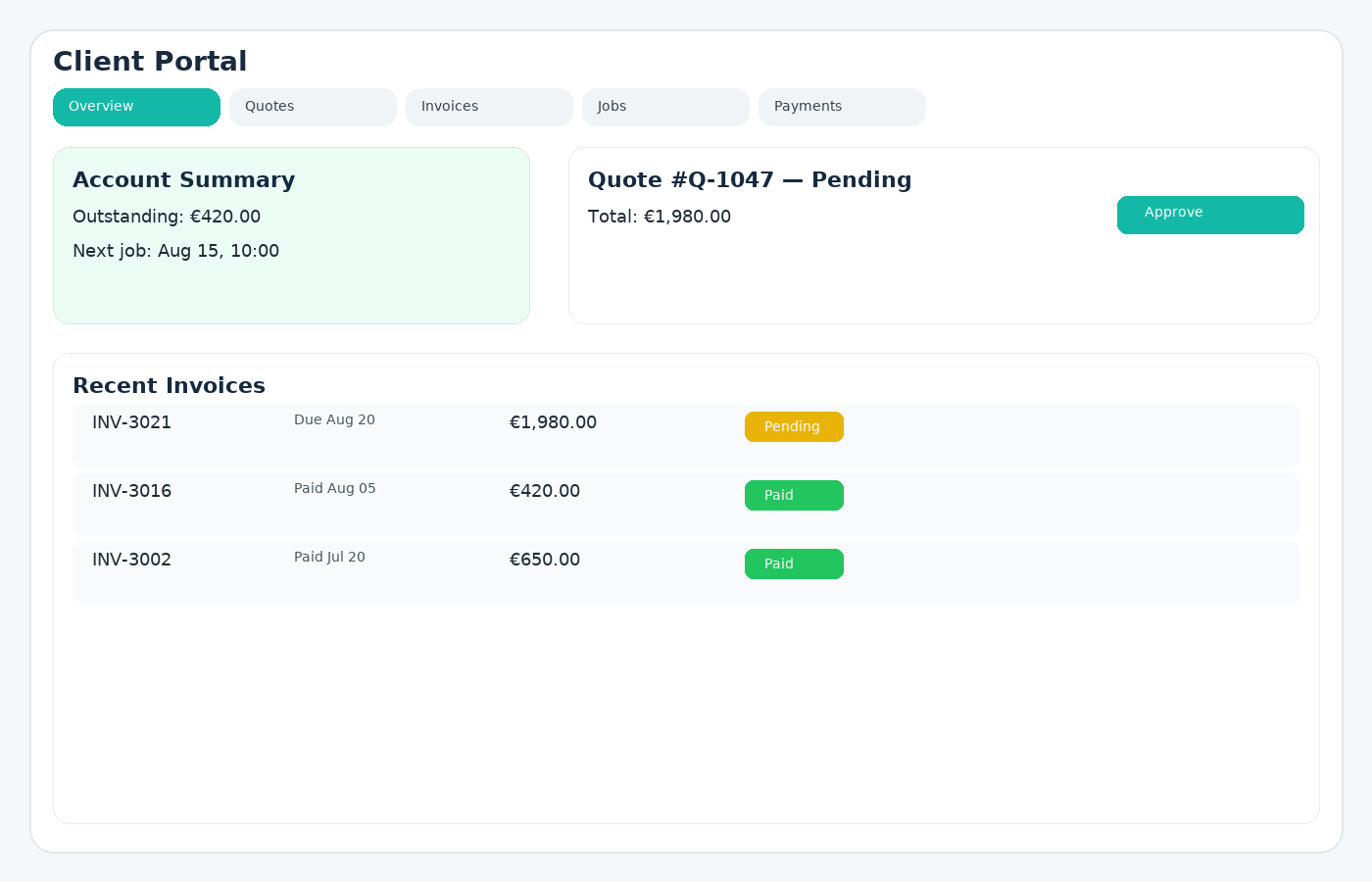
What is the Client Portal?
The Client Portal gives your customers a secure, branded space to view quotes and invoices, approve work, request new jobs, refer friends, and pay online-without juggling email threads or attachments. Everything stays in sync with your GoTaskhub dashboard to reduce admin, capture more opportunities, and speed up cashflow.
Owner / Manager
Deliver a polished, modern customer experience while reducing delays. See approvals, payments, and new job requests update in real time.
Office / Admin
Send one secure link instead of multiple attachments. Fewer back-and-forth emails, clearer status tracking, and structured client requests and referrals.
Customer
Open a single link to review quotes and invoices, approve instantly, pay online, request new work, and refer friends-any time, on any device.
Common use cases
- Quote approvals: Clients review scope and cost online and approve with one click-no printing or scanning.
- Invoice payments: Share a secure payment link so customers can settle immediately with cards or supported methods.
- Self-serve history: Reduce “can you resend?” requests by giving 24/7 access to quotes and invoices.
- New work requests: Clients can submit structured “Request work” forms with preferred dates and details, which flow into your pipeline as jobs or leads.
- Referrals & word-of-mouth: Capture “Refer a friend” submissions from happy customers and track them in your referrals tab so you can reward repeat business.
- Fewer errors: One source of truth for totals, terms, statuses, and communication history.
Request new work (self-serve)
Instead of ad-hoc WhatsApp messages or lost emails, clients can use a simple “Request work” form inside the portal. They describe the job, add preferred dates and times, and you receive a structured request connected to their customer record.
- Capture new work requests 24/7.
- Keep everything tied to the right customer.
- Turn requests into quotes or jobs with a few clicks.
Refer a friend (built-in referrals)
Turn happy clients into your best sales channel. From the portal, they can refer friends, neighbours, or colleagues with a name, email, and notes. You’ll see these in your referrals tab and can follow up quickly.
- Capture referrals in a consistent format.
- Track which customers sent which referrals.
- Reward repeat business with simple, trackable incentives.
Email attachments vs links vs Client Portal
Email attachments get lost and go out-of-date. Share links are better, but still siloed and don’t handle requests or referrals. The Client Portal provides a single, authenticated place for clients to review, approve, request work, refer friends, and pay with real-time updates-no duplicate files, no confusion.
Pros
- Faster approvals and payments
- Reduced email back-and-forth
- Branded, professional experience
- Structured work requests instead of scattered messages
- Built-in referral capture to grow word-of-mouth
- Statuses and activity update automatically
Cons (and mitigations)
- Client login friction → use secure magic links so they don’t need passwords.
- Brand mismatch → upload logo & colors so the portal feels like your website.
- Approval delays → set clear expiry/validity on quotes and nudge with reminders.
- Low referral usage → add a simple “refer a friend” benefit in your emails and invoices.
- Unstructured requests → encourage clients to use the “Request work” button instead of texting.
Common pitfalls & how to fix them
- Link confusion: Send the portal link from one template email and pin it for the client so they always know where to go.
- No branding: Apply your logo/colors so clients trust the page instantly.
- Approval delays: Set clear expiry/validity on quotes and use reminders when quotes are viewed but not yet accepted.
- Payment questions: Include accepted payment methods and terms in the portal and on invoices.
- Requests lost in messages: Point customers to the portal “Request work” page instead of ad-hoc texts or DMs.
- Referrals not tracked: Use the “Refer a friend” form so you know exactly who referred whom and when.
Security & privacy
Access is protected via secure links and authentication. You can revoke access and control what each client can see-from documents to portal tools like requests and referrals. Activity history adds transparency, and exports provide controlled reporting.
Glossary
- Magic link
- A secure, expiring link that authenticates a user without a password.
- Approval
- Client confirmation to proceed with quoted work.
- Portal
- A branded, authenticated area for clients to review and act on documents, request new work, and refer friends.
Customer reviews
Approvals, payments, new work requests, and referrals-without the email chaos.

Emma R.
★★★★★
Approvals are now one click and we get fewer questions. Clients love logging in and finding everything in one place.

Luca D.
★★★★★
Payments happen faster because customers can pay as soon as they view the invoice-no attachments or confusion.

Sofia M.
★★★★★
Branding the portal with our logo felt professional. The status updates and new work requests save us dozens of emails each week.