All-in-one job management software for small businesses
Quotes, invoices, jobs, tasks, leads, CRM, expenses, calendar sync (Google + Microsoft), QuickBooks integration and analytics - in one fast, glassy workspace. Reduce admin, prevent double-booking, and get paid faster.

Job management features for trades & service businesses
GoTaskhub centralises your operational workflow so you don’t juggle spreadsheets, paper quotes, or scattered apps. Build quotes, schedule jobs, manage tasks, sync your calendar (Google or Microsoft), and keep a clean record of every customer interaction.
Quotes & Invoices
Create, brand, and send documents in minutes. Convert quotes to invoices instantly.
Jobs & Scheduling
Assign work, track status, attach files and keep clients informed.
Task Manager (Kanban)
Drag & drop across To Do, In Progress and Done. Priorities, due dates, attachments.
Customer CRM
All notes, history and files in one profile. Faster customer service.
Lead Management
Capture and qualify leads. Track sources, values and follow-ups.
Expenses & Finance
Track spending and cashflow. Import expenses from QuickBooks and export invoices back for bookkeeping.
Calendar Integration
Two-way sync with Google Calendar and Microsoft Outlook to avoid double-booking.
Client Portal
Approve quotes and pay invoices securely, 24/7.
Analytics & Reports
Revenue, quote win rate, P&L and forecasts at a glance.
Home Finances (Pro)
Track household expenses, set monthly budgets, create savings goals, and see personal analytics.
Quote software for trades & service businesses
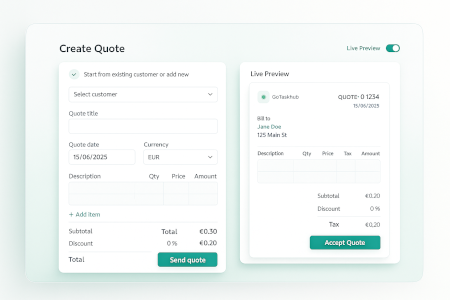
Build professional, branded quotes with line items, taxes, and discounts. Start from an existing customer or add a new one as you go. Share a link or PDF and get approvals faster with a modern customer experience.
- Customer selector, line items, tax, discount and automatic totals.
- Live customer-facing preview before you send.
- One-click convert to invoice once the customer approves.
- Send via email or share secure link from desktop or mobile.
Quote software for trades & service businesses
Invoice software with payments & reminders
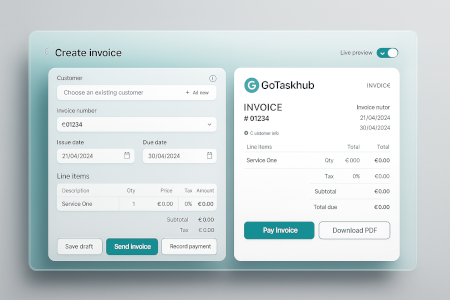
Generate clean, accurate invoices in moments. Record payments, track overdue balances, and keep customers in the loop with clear due dates and reminders.
- Branded invoices with due dates and payment terms.
- Record payments quickly and monitor unpaid balances.
- Email delivery with status visibility.
- Works from phone, tablet or desktop.
Invoice software with payments & reminders
Task management (Kanban) for job workflows
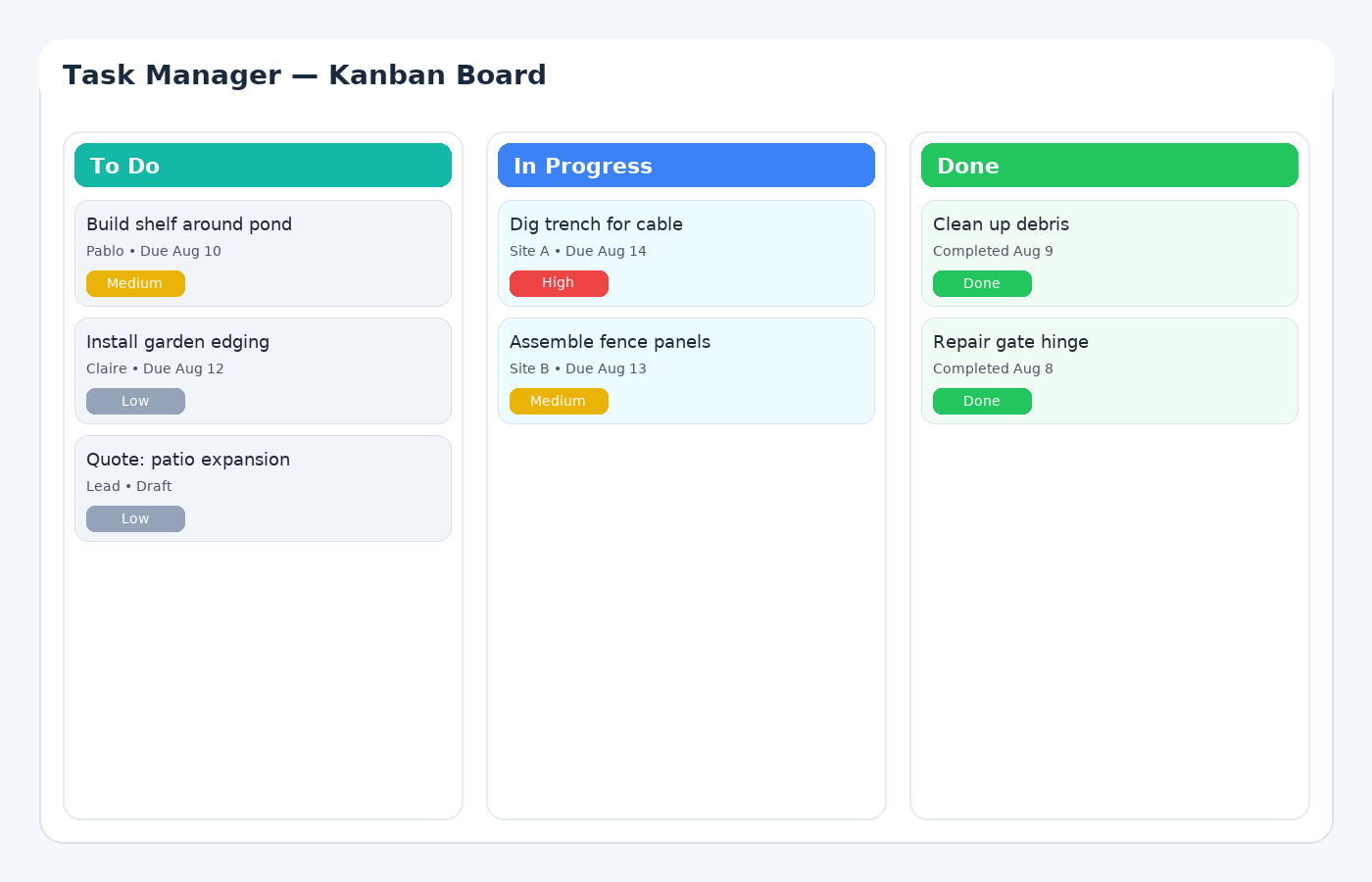
Organise work visually across To Do, In Progress, and Done. Drag-and-drop to reprioritize, add due dates, labels, attachments, and track progress from 0 - 100%.
- Fast drag-and-drop with smooth interactions.
- Due dates, priorities, labels, attachments and subtasks.
- Progress and status badges for clarity.
- Optional Google or Microsoft Calendar sync for scheduled tasks.
Task management (Kanban) for job workflows
Lead management CRM for service businesses
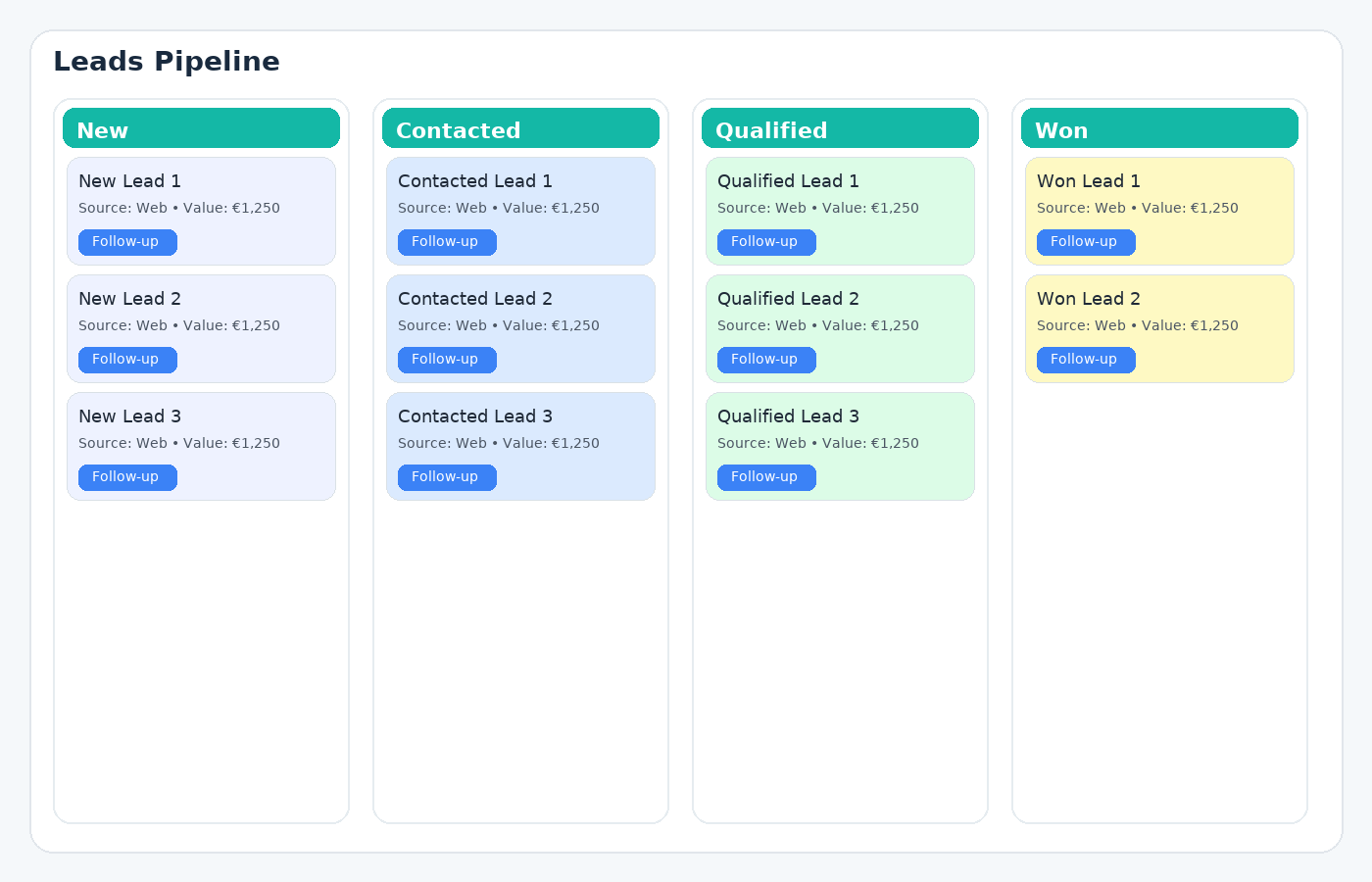
Keep your pipeline organized from first contact to job won. Prioritize follow-ups, track sources and values, and convert the best opportunities into jobs.
- Pipeline stages: New, Contacted, Qualified, Won.
- Lead source tracking (web, referral, phone, etc.).
- Quick actions: follow-up, create quote, schedule site visit.
Lead management CRM for service businesses
Google & Outlook calendar sync for job scheduling
Schedule jobs and tasks without double-booking. Two-way sync ensures your Google Calendar and Microsoft Outlook calendar stay aligned with GoTaskhub so your day is always up to date.
- Two-way sync keeps calendars aligned across devices.
- Avoid clashes by seeing external events alongside jobs/tasks.
- Month, week and day views with click-through to job details.
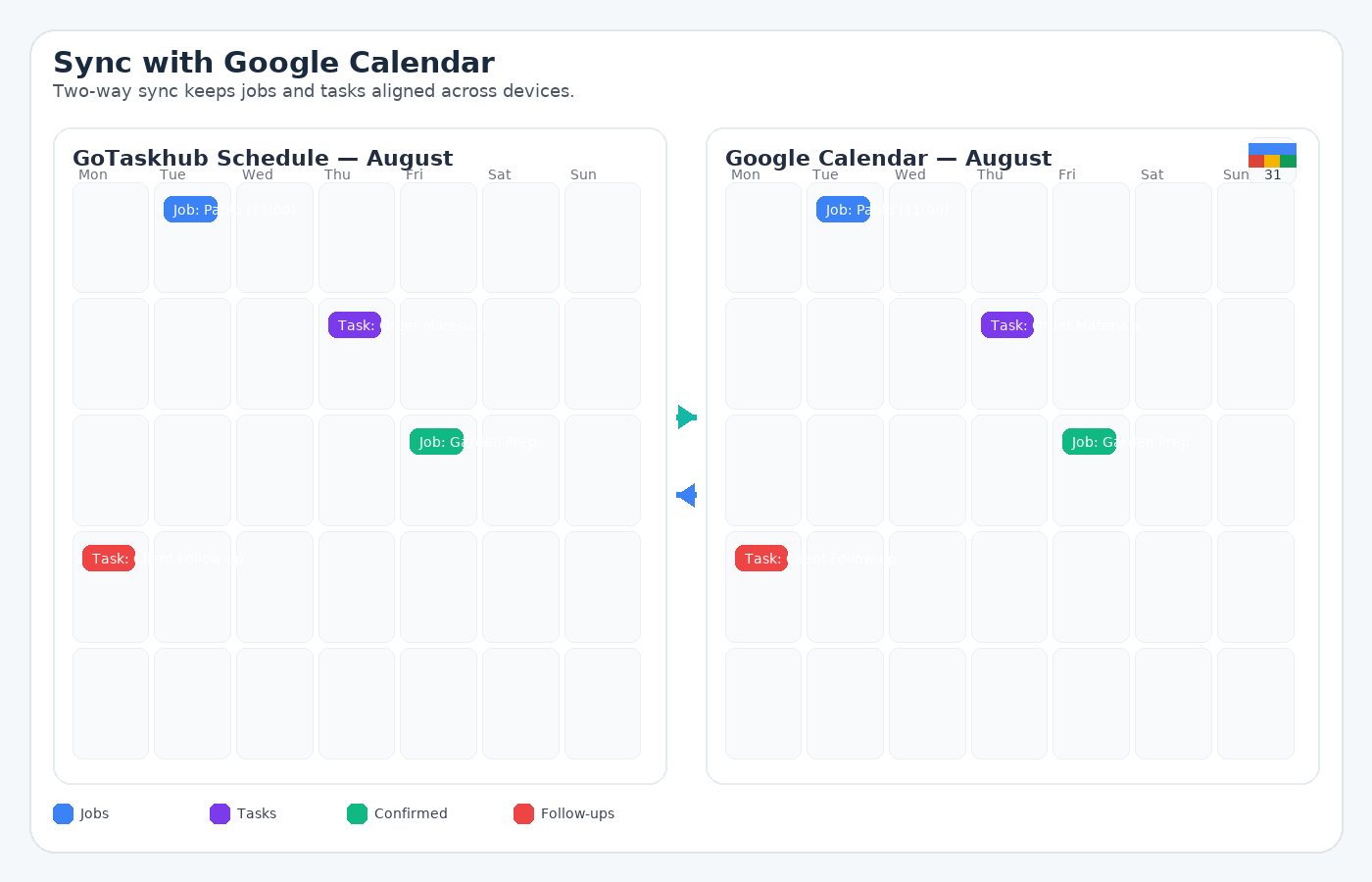
Google & Outlook calendar sync for job scheduling
QuickBooks integration for invoices & expenses
Connect QuickBooks to reduce double entry. Pull expenses into GoTaskhub for better visibility and export invoices back to QuickBooks to keep your accounts tidy and up to date.
- Import expenses from QuickBooks for cleaner cashflow tracking
- Export GoTaskhub invoices to QuickBooks in a couple of clicks
- Less admin, fewer mistakes, better reporting
QuickBooks integration
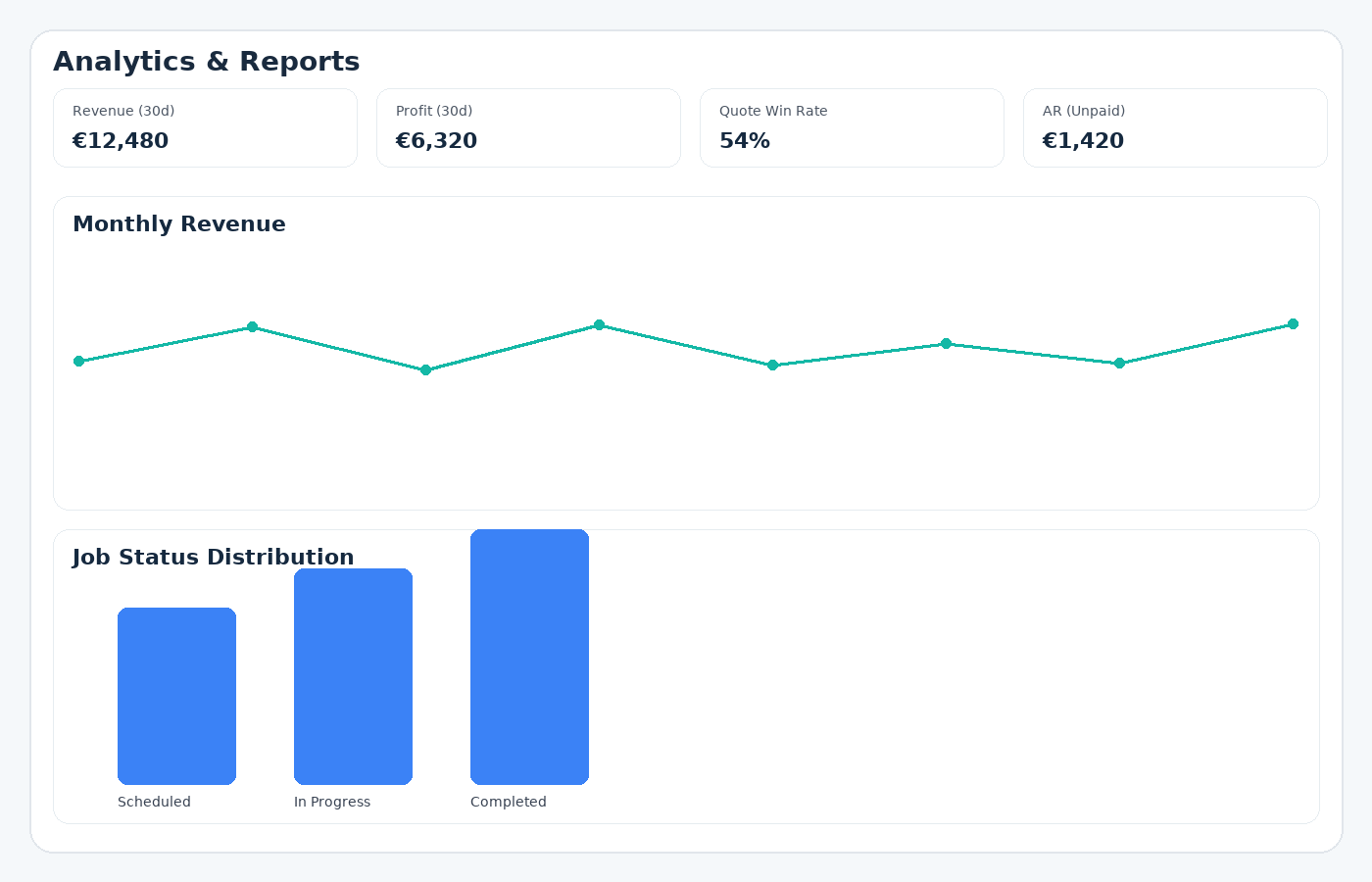
Business analytics for jobs, revenue & profit
Understand performance at a glance with revenue trends, quote conversion, job status distribution and profit/loss. Forecast upcoming months to plan ahead.
- Revenue, AR and profit/loss trends.
- Quote win rate and pipeline health.
- Monthly revenue forecast to anticipate cashflow.
Business analytics for jobs, revenue & profit
Client portal for quote approval & invoice payments
Make it easy for clients to view quotes and invoices, approve work, and pay online without back-and-forth. Build trust with transparency and speed.
- Approve quotes and view job timelines.
- Pay invoices securely and see payment history.
- Automatic status updates and email notifications.
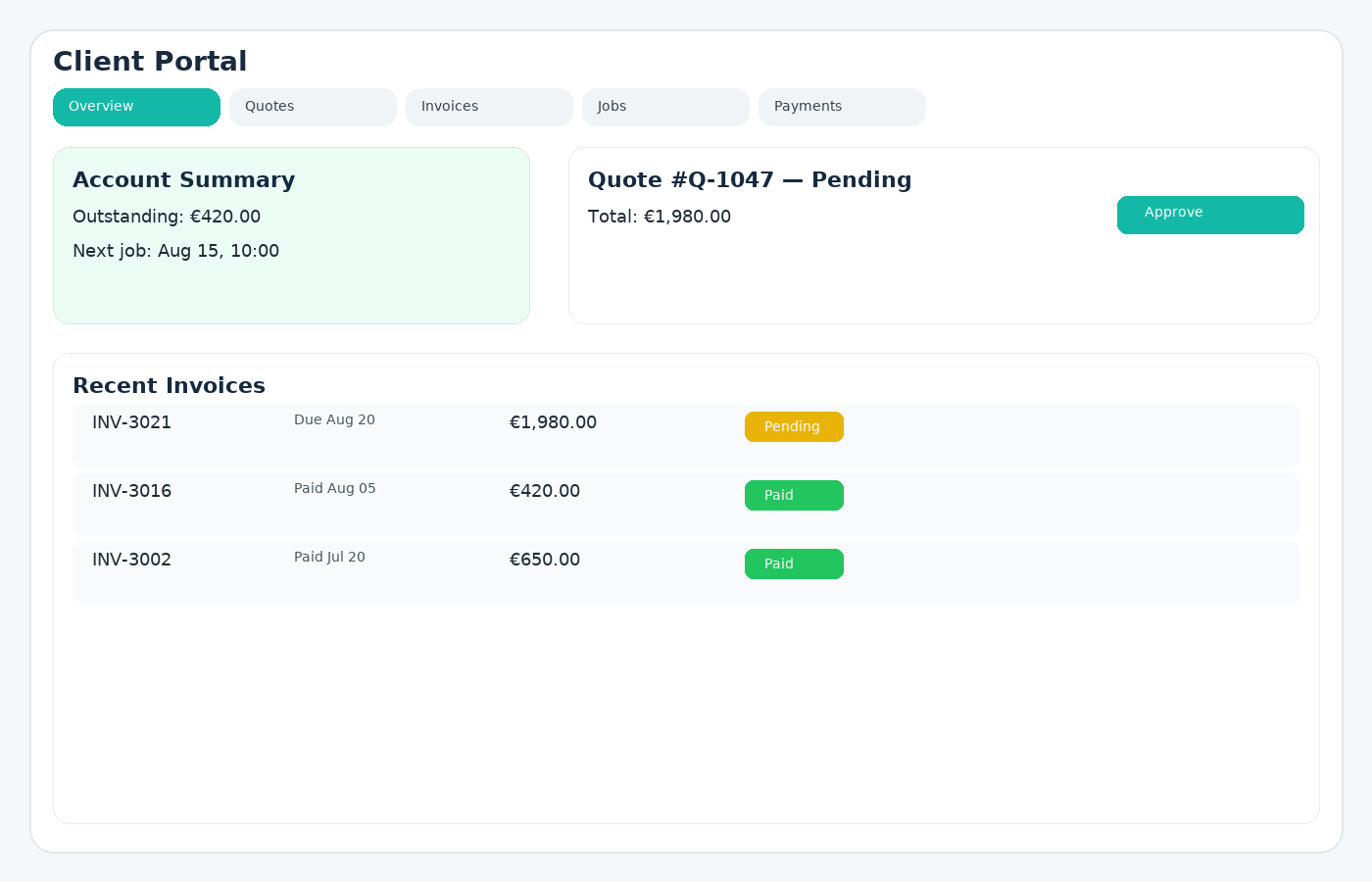
Client portal for quote approval & invoice payments
Personal expense tracking (Home Finances)
Log day-to-day spending (groceries, utilities, transport, childcare and more). Filter by category, search, and export anytime.
- Simple entry with category & notes
- Fast filtering and CSV export
- Works great on mobile
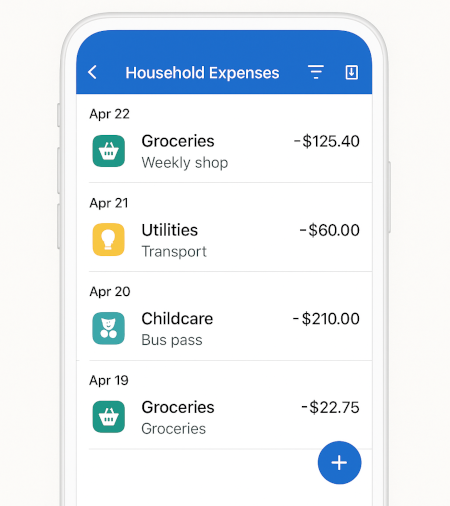
Personal expense tracking (Home Finances)
Monthly budgeting tools (Home Finances)
Create monthly category limits (e.g., Groceries €400) and track progress as you spend. See remaining balance at a glance.
- Category limit per month
- Progress bars and remaining amount
- Adjust anytime without losing history
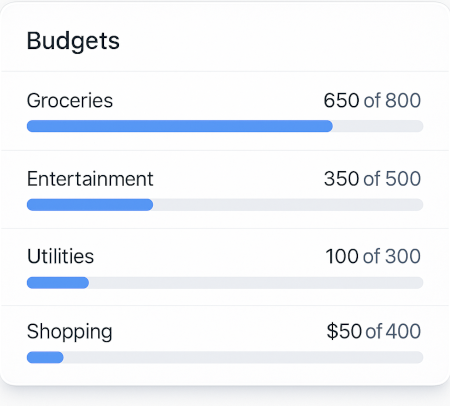
Monthly budgeting tools (Home Finances)
Savings goals & progress tracking (Home Finances)
Create savings goals (holiday, car fund, emergency) with targets and dates. Update contributions and celebrate milestones.
- Target amount and target date
- Track contributions over time
- Multiple goals with progress indicators
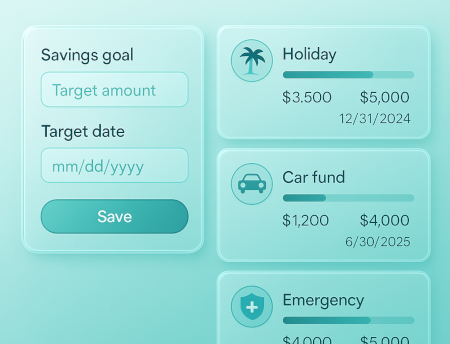
Savings goals & progress tracking (Home Finances)
Personal finance analytics (Home Finances)
Understand where your money goes and how it changes over time. Spot trends by category and plan ahead.
- Monthly trend lines
- Category breakdowns
- Export for budgeting apps
Personal finance analytics (Home Finances)
Job scheduling and dispatching
Turn approved quotes into scheduled jobs with dates, times and status. Attach notes, images, and files. See what’s scheduled, what’s in progress, and what’s next-whether you’re at a desk or on site. Keep everything aligned with Google Calendar or Microsoft Outlook to avoid clashes.
- Schedule start/end times with customer details
- Status tracking: Scheduled, In Progress, Completed
- Attach site photos, plans and checklists
Turn jobs into invoices (faster billing)
Close out work and generate an invoice the same day. Keep cashflow healthy by reducing admin, human error, and time to payment. If you use QuickBooks, export invoices back to keep your books updated with less effort.
- Convert job details into invoice line items
- Email invoices or share secure links
- Track unpaid balances and follow up
Privacy & Data Ownership
Your business data stays yours. Export whenever you like and keep a clean record of changes for transparency and compliance.
- You own your data (easy CSV export)
- Activity history and audit trails
- Clear, no-lock-in approach
Security & Reliability
Best-practice authentication and data protection. Encrypted connections and regular backups help keep your business safe and available.
- Secure authentication
- Encrypted in transit
- Regular backups
Integrations: Calendar, QuickBooks & API
Connect your calendar and streamline your workflow. Integrate with QuickBooks for cleaner bookkeeping. Business plans include API access for custom connections and automation.
- Google Calendar (two-way sync)
- Microsoft Outlook calendar (two-way sync)
- QuickBooks (import expenses + export invoices)
How our job management software works
GoTaskhub simplifies your end-to-end workflow so you can quote jobs, schedule work, manage tasks, send invoices and monitor performance without switching tools. Here’s the typical flow teams use every day:
Capture lead
Add a new lead, track source and potential value, and plan your follow-up.
Send quote
Build a clear, branded estimate and share it via email or secure link.
Schedule job
Convert approved quotes to jobs with dates, times and assigned owners (sync with Google or Microsoft).
Track tasks
Move work across To Do, In Progress and Done. Add notes, photos and files.
Invoice fast
Generate invoices from job details and record payments on the spot.
Sync calendar
Keep Google Calendar and Microsoft Outlook aligned to avoid double-booking and missed slots.
Delight clients
Use the client portal for approvals, payments and transparency.
Close the books
Connect QuickBooks to import expenses and export invoices for less admin.
Job management software for trades & service teams

Landscaping & Gardening
Quote design/maintenance, schedule teams, attach site photos, and invoice after visits.

Cleaning Services
Manage recurring jobs, track supplies and expenses, and keep customers up-to-date.

HVAC & Plumbing
Plan service calls, store job notes and parts lists, and invoice quickly from the job.

Electrical & Handyman
Estimate accurately, schedule efficiently and reduce no-shows with calendar sync.

Painting & Decorating
Organize multiple jobs, track expenses and present professional quotes and invoices.

Small Construction
Centralize jobs, documents and approvals to keep projects moving.
Data & Export
Your data is yours. Export customers, quotes, invoices, jobs, and expenses to CSV for backups and accounting workflows. If you use QuickBooks, exporting invoices helps keep accounts in sync with less manual work.
- CSV export for major entities
- Ideal for year-end reporting
- Easy migration if needed
Mobile-friendly
Built for the field. Create quotes, update job status, upload photos and send invoices from your phone.
- Responsive UI works on phones & tablets
- Fast actions for on-site updates
Performance & Reliability
Lightweight, modern architecture with a focus on speed and stability. Keep your team moving-even on busy days.
- Snappy interface
- Designed for reliability
Job management software FAQ
What is GoTaskhub?
GoTaskhub is an all-in-one job management platform for trades, field and service teams. Create quotes and invoices, schedule jobs, manage tasks in Kanban, track expenses, capture leads, sync with Google and Microsoft calendars, connect to QuickBooks, and analyze performance in one place.
Can clients approve quotes and pay invoices online?
Yes. Share a secure client portal where customers can view and approve quotes, see job details, and pay invoices. Approvals and payments update your dashboard automatically.
Does GoTaskhub integrate with Google Calendar?
Yes. Two-way sync keeps your external Google Calendar and GoTaskhub jobs/tasks aligned to reduce double-booking and missed appointments.
Do you support Microsoft Outlook calendar sync?
Yes. Connect Microsoft Outlook/Office 365 calendar to keep your schedule aligned across devices and prevent clashes between GoTaskhub jobs and your existing calendar events.
Do you integrate with QuickBooks?
Yes. Connect QuickBooks to streamline bookkeeping: pull expenses into GoTaskhub and export invoices back to QuickBooks to reduce manual entry and keep accounts up to date.
Do you support teams and user roles?
Multi-user and role-based access are on our roadmap. Today GoTaskhub is single-user. If you’d like early access when it’s ready, contact us.
Is there a free plan?
Yes. Start free and upgrade anytime for advanced features like teams, client portals, and API access.
Can I export my data?
Absolutely. Export customers, quotes, invoices, jobs, expenses, and more to CSV for backups or accountancy tools.
What industries use GoTaskhub?
Landscaping, gardening, cleaning, HVAC, plumbing, electrical, painting, handyman services, small construction, and other field service businesses.