Cash Flow & Billing Automation

Stop Funding Your Customers' Jobs.

Get paid before you start. Collect deposits online, bill larger projects in agreed stages, and never order materials until the money is safely in your bank.

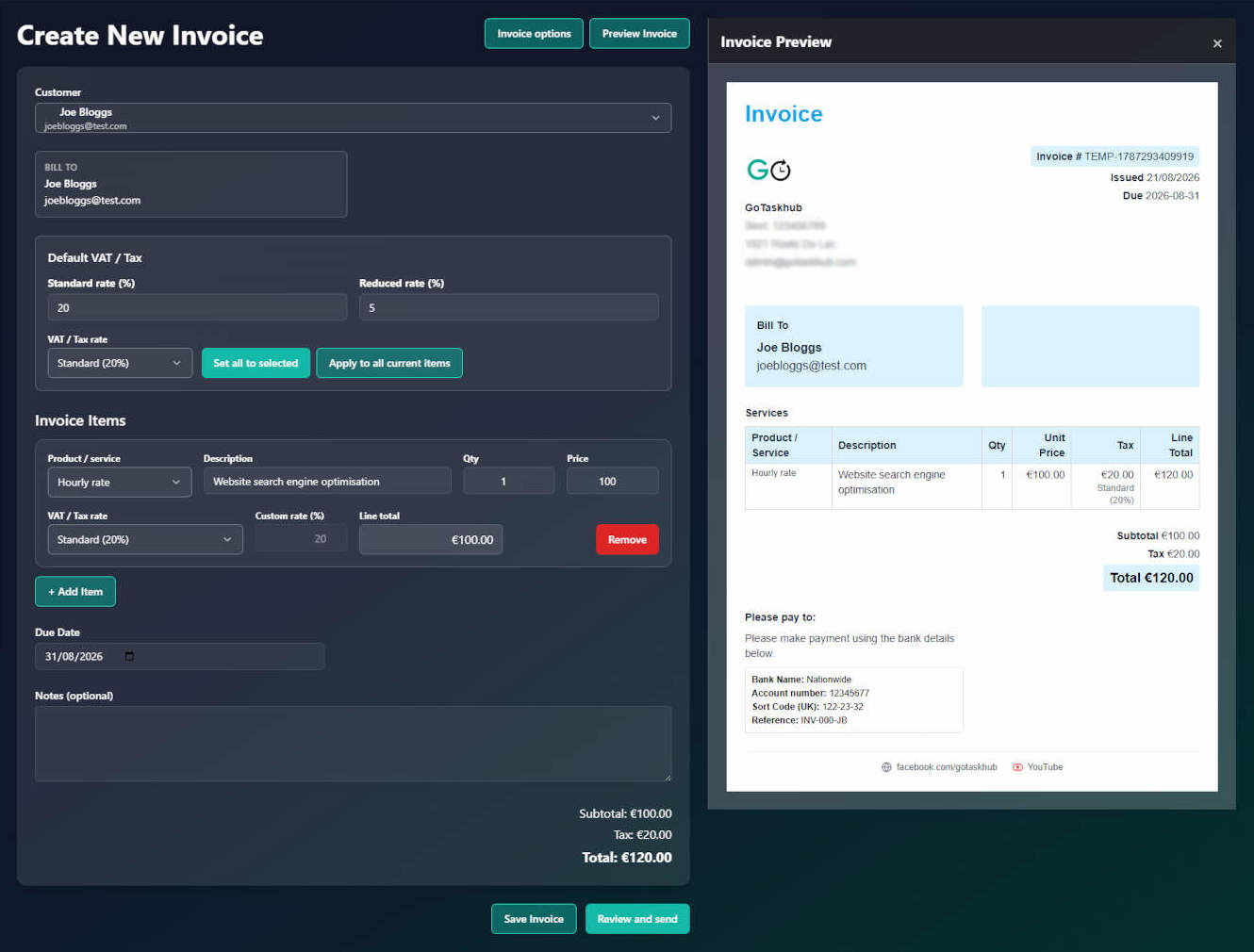
GoTaskhub Deposit Invoicing and Connected Job Scheduling UI

Highlights

A quick snapshot of what you can do.

1-Click Card Checkout in Client Portal

Customers don't need to log in to online banking or type manual bank transfer references. A secure card payment link gets deposits in your bank hours faster.

Quote Balance & Stage Progress Tracker

Always see at a glance: Total Quote Value, Total Invoiced to Date, and Remaining Balance. Never accidentally lose track of a stage payment.

Automated Final Invoice Deposit Deductions

Itemise the complete job scope so the client sees the full value delivered, then clearly credit the deposit already collected on line one.

How it works

Simple steps to get powerful results.

1
1

Send Quote with Deposit Terms

Specify the required deposit (e.g. 30%) on your quote. Send a professional digital link directly to your customer.

2
2

Customer Approves & Pays Online

Upon quote acceptance, GoTaskhub generates the deposit invoice. Your client pays instantly by card in their Client Portal.

3
3

Job Unlocks Automatically

Payment confirmation immediately updates the linked job to 'Deposit Received' so you can order supplies and schedule the team.

4
4

Bill Milestones & Finish Cleanly

Send progress invoices as stages complete. The final invoice accounts for all previous payments and shows the remaining balance due.

Key Benefits

What you get out of this feature - fast.

Zero Out-of-Pocket Materials

Don't max out your merchant accounts or overdraft. Collect a 20%–50% deposit before ordering skips, timber, or fixtures.

Green-Light Scheduling

Jobs automatically switch to 'Deposit Received' when payment clears. No checking banking apps at night to see if you're safe to book work.

Staged Milestone Billing

Break £5,000–£30,000 projects into manageable progress invoices. Keep cash flowing continuously through multi-week jobs.

Crystal-Clear Final Invoices

Transparently deduct deposits already paid with a clean credit line item. Zero awkward final arithmetic with your client.

The Connected Cash-Flow Sequence

From Accepted Quote to Paid Job

GoTaskhub replaces disjointed spreadsheets and manual invoice creation with one automated flow.

1Trigger

Quote Accepted

Client approves proposal with deposit terms agreed upfront.

2Funds Cleared

Deposit Paid Online

Deposit invoice created automatically. Client pays by card.

3Green Light

Deposit Received

Job automatically switches status. Safe to order materials.

4Cash Flow

Stage Invoices

Bill agreed milestones as work progresses. Balance syncs live.

5Completed

Final Balance Paid

Final bill cleanly credits deposit. Zero customer confusion.

Real-World Cash-Flow Comparison

A £10,000 Project Shouldn't Mean Waiting Weeks to Get Paid

The Risky Way (End-of-Job Invoicing)
  • ✗You buy £3,500 of materials upfront on credit cards or trade overdraft.
  • ✗You pay wages for 2–3 weeks of labour out of your own company reserves.
  • ✗You send one big £10,000 invoice on completion and pray the customer pays promptly.
  • ✗Any snagging delay holds up your entire £10,000 payout.
The GoTaskhub Connected Workflow
StageTriggerAmount
1. Quote AcceptedAuto 30% Deposit Invoice£3,000
2. Midpoint Milestone40% Progress Invoice£4,000
3. Final CompletionShows full scope minus £7k£3,000
Total Project ValueAll payments linked£10,000
Protect Your Cash Flow

Don't Touch a Tool Until the Status Says "Deposit Received"

When a customer pays their deposit online, GoTaskhub takes care of the operational handoff. The linked job instantly updates to Deposit Received. You and your subcontractors know with 100% confidence that materials are covered and the start date is locked in.

Frequently asked questions

Quick answers to common questions.

Q.Why should tradespeople take an upfront deposit?
Taking a deposit ensures you never finance your customer's job out of pocket. It covers raw materials upfront, commits the client to the booking, and eliminates the cash-flow risk of cancellations after you've already bought supplies.
Q.What happens automatically when my customer accepts a quote?
When a quote with a deposit requirement is accepted in the Client Portal, GoTaskhub immediately creates the deposit invoice with an instant online payment button. You don't have to manually create a new invoice or email back and forth.
Q.How does the 'Green-Light' job scheduling work?
The moment your customer pays the deposit online via card, GoTaskhub automatically switches the linked job status to 'Deposit Received'. This gives you and your team instant operational visibility: you are safe to purchase materials from merchants and confirm dates on your calendar.
Q.How does the deposit show up on the final invoice?
Your final invoice clearly displays your entire scope of work, followed by a dedicated credit line item for the deposit previously received (e.g. 'Deposit Paid: -£2,400'). The customer sees the exact remaining balance due, eliminating awkward payment questions.
Q.Can I bill in multiple stages on large projects?
Yes. For larger jobs, you can create progress invoices at agreed milestones (e.g., 30% deposit, 40% midway, 30% completion). GoTaskhub tracks the quote's remaining balance in real time, so you always know what has been invoiced, paid, and what remains.
Q.Can my customer pay by credit or debit card online?
Yes. Your Client Portal integrates directly with Stripe. Clients can pay via debit/credit card, Apple Pay, or Google Pay directly on their smartphone or laptop.

Ready to streamline your business?

Join thousands of trade professionals who are saving time and winning more work.

No credit card required.

Cookies & analytics

We use necessary cookies to make GoTaskhub work, and optional analytics cookies to understand how the site is used so we can improve it. You can change your choice at any time.

Necessary cookies

Always on – required for things like security and basic functionality.